ZFS vs Ceph for a Proxmox Cluster
Proxmox Ceph vs ZFS compared: node count, RAM per OSD, 10GbE networking, two node QDevice rules and when a hybrid setup suits your cluster.
Overview
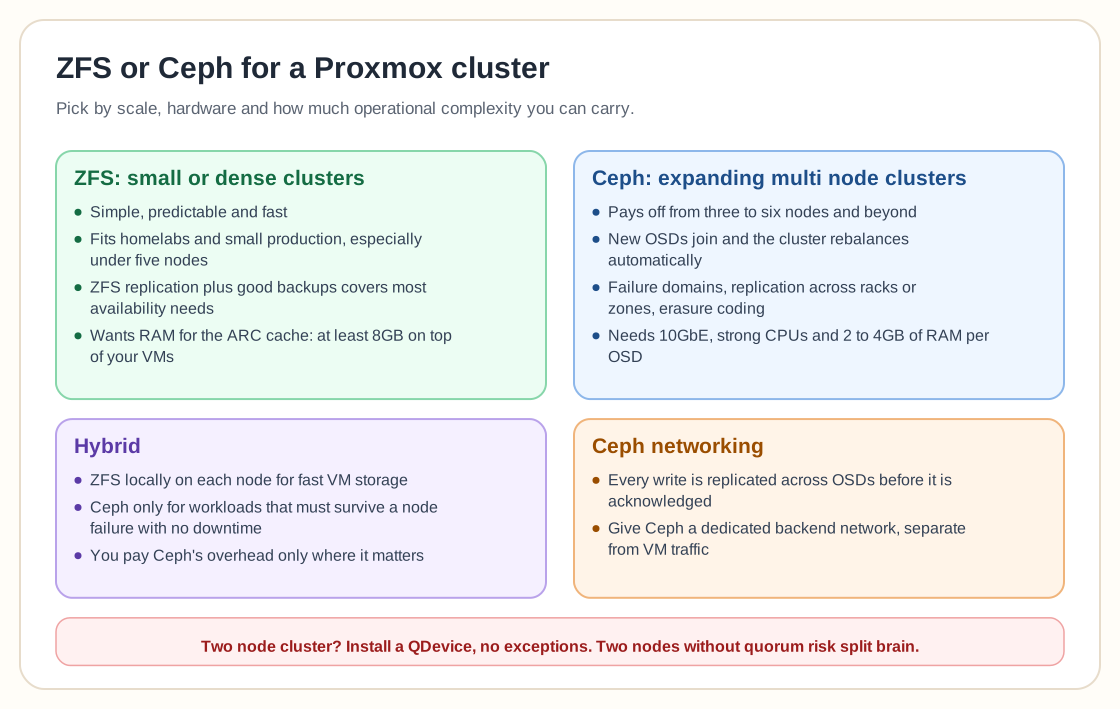
On ZFS vs Ceph for a Proxmox cluster, most people take a pragmatic line: ZFS is the right choice for most small clusters, and Ceph only makes sense when you truly need distributed storage at scale.
ZFS keeps getting called the "fortress" option. For homelabs and small production setups, especially under five nodes, it is simple, predictable, and fast, without the operational overhead of a distributed system. Many point out that in two-node clusters, ZFS replication paired with a proper witness or QDevice solves most real-world availability concerns. The big warning is that two nodes without quorum are a split-brain accident waiting to happen.
Ceph is powerful but demanding. It pays off when you scale from three to six nodes or beyond, because adding new OSDs and having the cluster rebalance automatically becomes a major advantage. Defined failure domains, replication control across racks or zones, and erasure coding justify its complexity. People stress again and again, though, that Ceph needs serious hardware: at least 10GbE networking and strong CPUs. On 1GbE or underpowered hosts you get painful performance and management headaches.
Overengineering comes up a lot too. Many people assume high availability requires distributed storage, when ZFS replication plus good backups covers most needs without taking on Ceph's operational burden.
On resource sizing, ZFS wants RAM for its ARC cache. A rough rule of thumb is at least 8GB dedicated to ZFS on top of whatever your VMs need, and more if your working set is large. Ceph's overhead works differently and is arguably steeper: each OSD daemon typically wants 2-4GB of RAM of its own, and it also needs the fast, low-latency networking mentioned above. A 3-node Ceph cluster with modest OSD counts can easily need more total RAM across the cluster than an equivalent ZFS-replicated setup, before you've stored a single VM.
The networking requirement deserves emphasis, since it's the most common reason Ceph performance disappoints. Ceph replicates every write across OSDs before acknowledging it, so network latency turns directly into write latency. 10GbE is the realistic floor for production use. 1GbE will work, but every write pays a heavy tax, and under load the cluster can feel unusably slow. Anyone running Ceph seriously gives it a dedicated backend network, separate from VM traffic.
Some clusters take a hybrid approach, with ZFS locally on each node for fast VM storage and Ceph reserved for the workloads that genuinely need to survive a node failure with no downtime. That way you only pay Ceph's overhead where its benefits matter.
The advice boils down to this:
- Small or dense cluster with modest growth? Choose ZFS. - Expanding multi-node cluster with clear scaling goals and proper hardware? Ceph earns its keep. - Two-node setup? Install a QDevice, no exceptions.
Pick the tool that fits your scale and how much complexity you can tolerate, even if the other one looks more impressive on paper.
Need help with Proxmox?
Use the form below to get in touch about migrations, troubleshooting, and Proxmox design work.