Proxmox Homelab: Docker in LXC or in a Docker VM?
Proxmox Docker in LXC or VM: which suits a homelab? Most advice points to one Debian or Ubuntu VM with Docker. See the backup risks and RAM overhead.
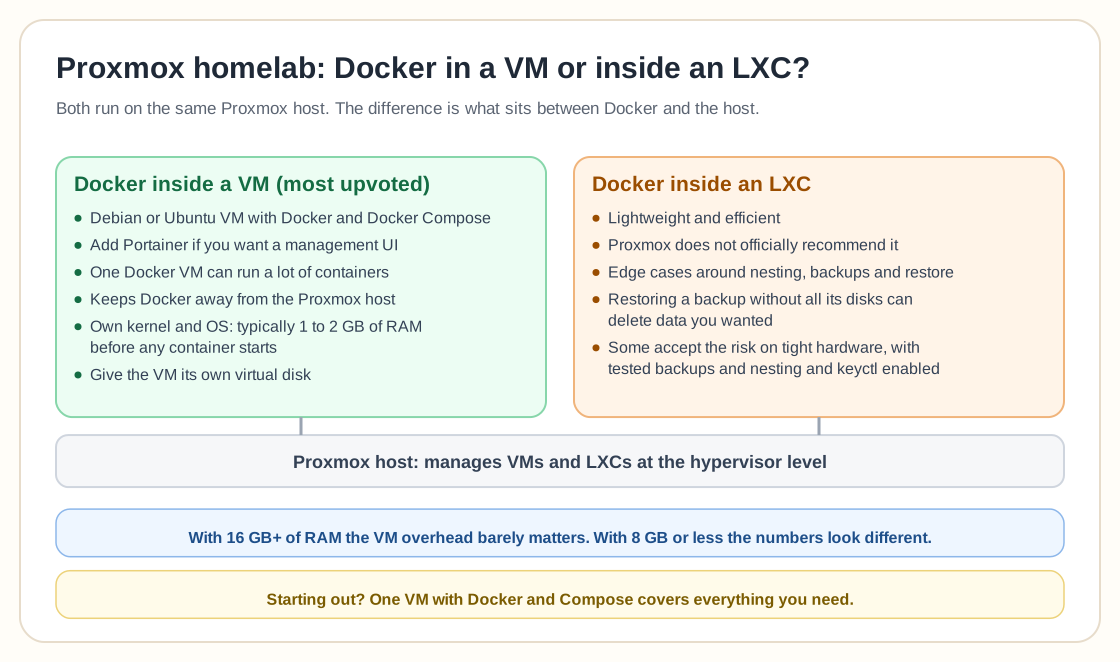
Overview
For a Proxmox homelab, most people will tell you to run Docker inside a dedicated VM instead of installing Docker inside an LXC.
LXC containers are lightweight and efficient, but Proxmox does not officially recommend Docker inside LXC. It can work, and it brings edge cases around nesting, backups and restore behavior. Several users point out that restoring an LXC backup without all its disks included can delete things you wanted to keep, which is extra risk once you stack container platforms on top of each other.
The most upvoted advice is to create a Debian or Ubuntu VM, install Docker and Docker Compose, and add Portainer if you want a management UI. One Docker VM can happily run a lot of containers. For a home lab people consider that setup clean, flexible and easy to maintain. It also keeps Docker away from the Proxmox host, so there is less to untangle when you troubleshoot.
Worth clarifying as well: LXCs and Docker containers are two different things. Both build on Linux containerization, and they exist for different jobs. Proxmox manages VMs and LXCs at the hypervisor level, while Docker packages applications and manages their lifecycle. If a service ships mainly as a Docker image and gets updated through Docker workflows, running it in a Docker VM usually makes maintenance easier.
For beginners the advice is to start simple: one VM with Docker and Compose covers everything you need. High availability and Kubernetes are usually overkill in a small home lab, unless learning orchestration is the point of the exercise.
On resources, Docker in a VM costs you some overhead compared with a bare LXC. A full VM needs its own kernel and OS, which is typically 1-2GB of RAM for the base system before Docker or any container starts. On a homelab with 16GB+ of RAM that overhead does not really constrain anything. On genuinely tight hardware, say a low-power NUC with 8GB or less, the numbers look different, and some users do accept the Docker-in-LXC risk to save the overhead. They do it knowingly, with tested backups and the nesting and keyctl features enabled on the container.
If you take the VM route, a few practical choices matter. Give the VM its own virtual disk instead of sharing one with other services, so Docker's storage driver is not competing for I/O with unrelated workloads. Set up Portainer or a similar lightweight UI early rather than doing everything through `docker compose` on the CLI, because once your stack grows past a handful of services it is much easier to see container health and logs at a glance.
Full comparison
For the complete breakdown of security, performance, and backup tradeoffs, see the full guide:
Proxmox LXC vs VM vs Docker in 2026: Which to Use for WhatNeed help with Proxmox?
Use the form below to get in touch about migrations, troubleshooting, and Proxmox design work.