Overview
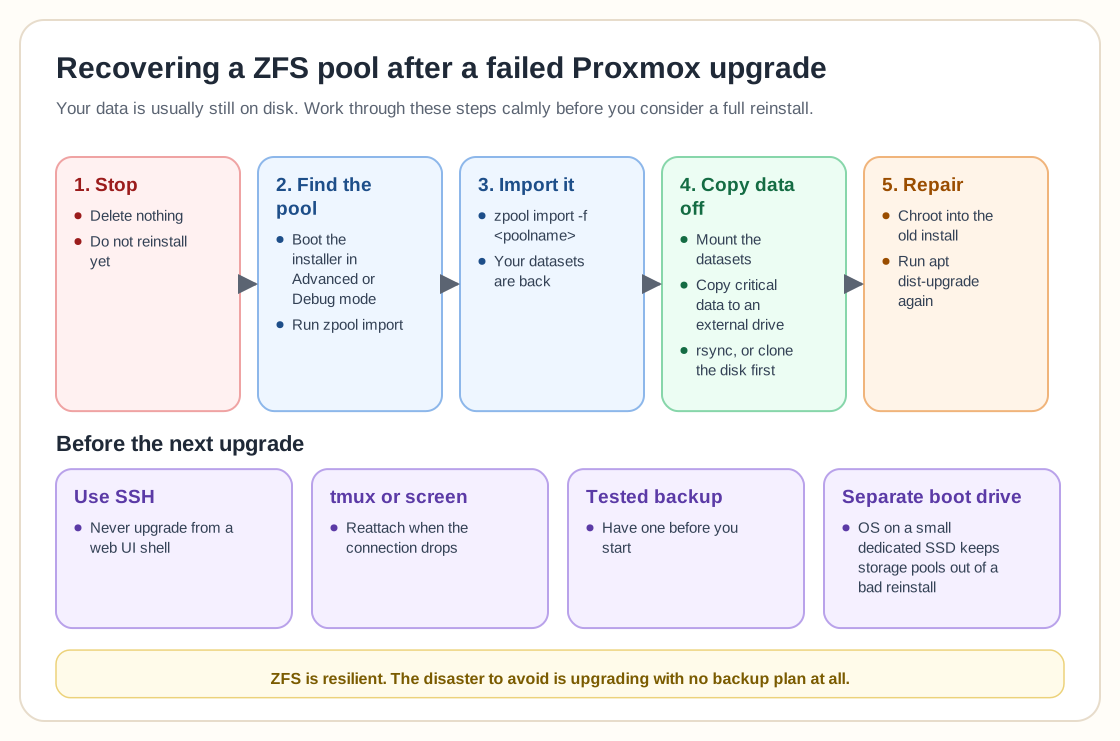
A failed Proxmox upgrade feels catastrophic, and in most cases your data is still sitting safely on disk, especially if it lived on a separate ZFS pool. The advice on how to recover the ZFS pool came up again and again, and it was simple: stop, delete nothing, and try importing the pool by hand.
Boot into the installer's Advanced or Debug mode and run `zpool import`, and it will usually list your existing pool. If it shows up, import it with `zpool import -f ` and you have your datasets back. Once it is imported, mount the datasets and copy the critical data to an external drive straight away. Several people recommended rsync, or cloning the disk before you experiment any further.
The other strong theme was that a broken upgrade does not always mean a full reinstall. You can chroot into the old installation from the installer environment and run `apt dist-upgrade` again. Plenty of experienced admins said this is easier than it sounds and often brings the system back cleanly.
For future upgrades, three lessons came up over and over:
• Never upgrade from a web UI shell. Use SSH.
• Always run the session inside tmux or screen, so you can reattach when the connection drops.
• Have a tested backup before you start.
Keeping the Proxmox boot drive separate from the data drives came up as well. With the OS on a small dedicated SSD, a reinstall gone wrong cannot take your storage pools with it.
The reassuring part is that ZFS is resilient, and most "bricked" upgrades come back with calm, methodical steps. The disaster to avoid is upgrading with no backup plan at all.
Need help with Proxmox?
Use the form below to get in touch about migrations, troubleshooting, and Proxmox design work.