Proxmox Container Creation Fails for Non Root Users (RBAC Fix)
Proxmox container creation fails for non root users with target is busy and exit code 32. Learn which RBAC permissions to grant and how to check them.
The error
umount: /var/lib/lxc/16018/rootfs: target is busy.lvremove 'nvme500G/vm-16018-disk-0' error:Logical volume contains a filesystem in use.TASK ERROR: unable to create CT - exit code 32The failure shows up when a non root account creates a container, whether through Terraform (tofu) or the GUI.
Logged in as root@pam, the same container is created without a problem.
Why this happens
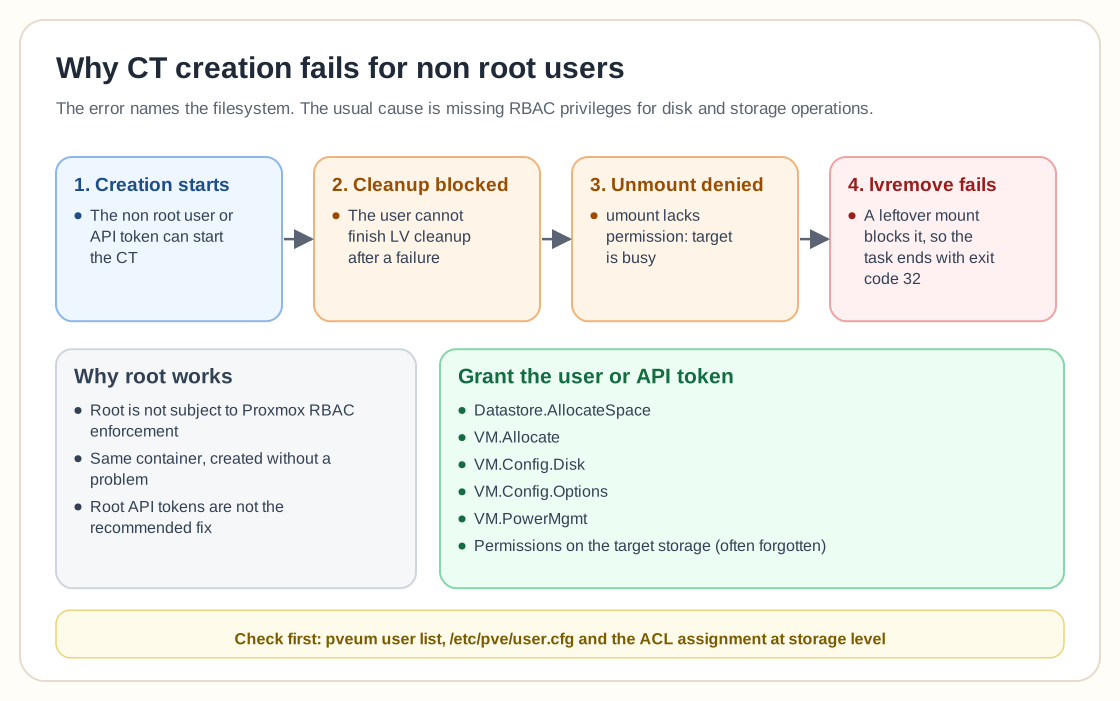
The error message points at the filesystem, but the usual cause is that the user lacks the RBAC privileges needed for disk and storage operations.
- The user can start container creation
- The user cannot finish LV cleanup after a failure
- The unmount operation lacks permission
- The leftover mount blocks lvremove
Root is not subject to RBAC restrictions, so creation works for root.
Required permissions
Make sure the user or API token has:
- Datastore.AllocateSpace
- VM.Allocate
- VM.Config.Disk
- VM.Config.Options
- VM.PowerMgmt
- Permissions on the target storage
People often forget the permissions at storage level.
Terraform specific notes
- The Telmate provider may behave differently from the BGM provider
- SSH key injection can change the container creation workflow
- Test container creation without SSH keys
- Verify API token role assignments at Datacenter level
Testing without SSH keys was one of the suggestions made during troubleshooting.
Quick diagnostic steps
- Try creating the CT manually in the GUI
- Check that the user role includes storage permissions
- Check /etc/pve/user.cfg
- Run pveum user list
- Confirm the ACL assignment at storage level
Frequently asked questions
Why does the error mention “target is busy”?
The cleanup phase lacks the permissions to unmount or remove the logical volume properly.
Is this a Terraform bug?
Not usually. A restricted user gets the same error in the GUI.
Why does root always work?
Root is not subject to Proxmox RBAC enforcement at all.
Should I just use root API tokens?
That is not recommended. Scope the RBAC permissions properly instead.
Need help with Proxmox?
Use the form below to get in touch about migrations, troubleshooting, and Proxmox design work.