How to Fix a Proxmox Install Freeze at ISO Detection
Proxmox install stuck at "searching for block device containing the ISO"? See why unstable RAM causes it and use a hardware checklist.
Example system
- ASUS Prime B760M-A D4
- Intel i3-12100F (12th Gen)
- Intel Arc A380
- 32GB RAM (4 sticks)
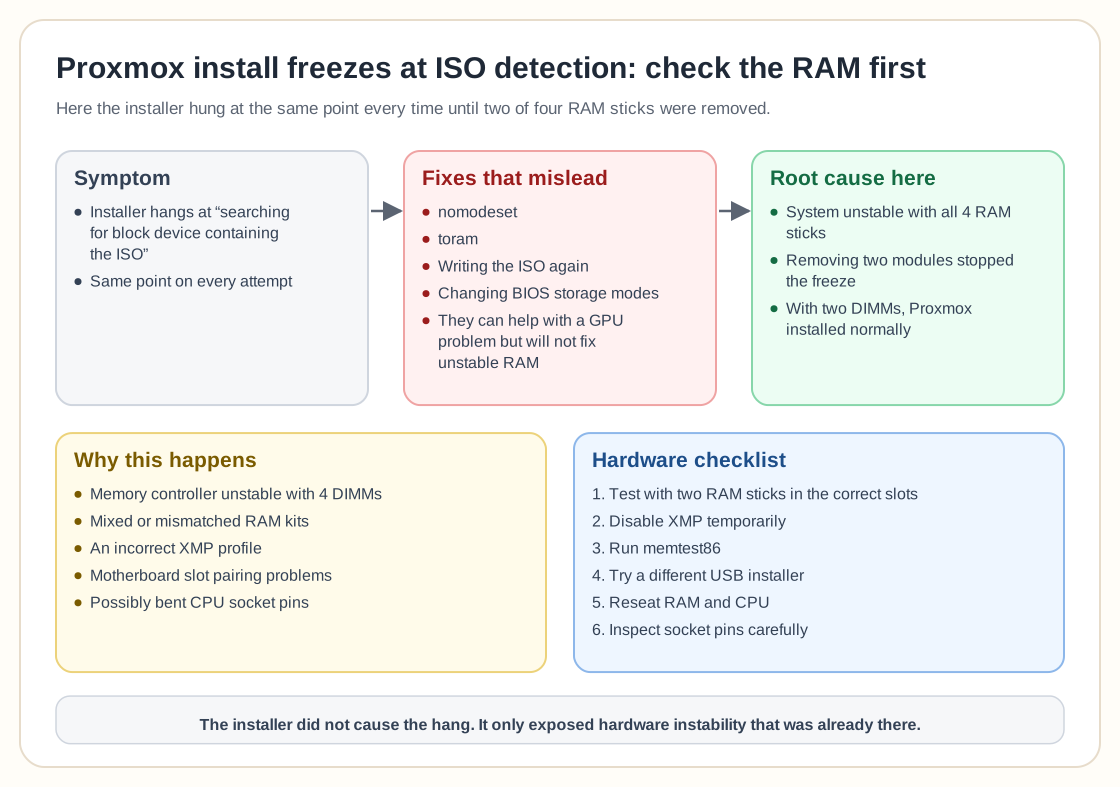
The installer froze at the same point every time:
In the end the cause turned out to be unstable hardware.
The actual root cause
The system was unstable with all 4 RAM sticks installed. Removing two modules stopped the installer freeze right away.
With only two DIMMs installed, Proxmox installed normally.
Why this happens
- The memory controller becomes unstable with 4 DIMMs
- RAM kits that are mixed or mismatched
- An incorrect XMP profile
- Problems with motherboard slot pairing
- Possibly bent CPU socket pins
12th Gen Intel platforms can be sensitive to memory configuration, especially with four sticks running at higher frequencies.
Common fixes that mislead
- Using nomodeset
- Using toram
- Writing the ISO again
- Changing BIOS storage modes
These can help when the GPU is the problem, but they will not fix unstable RAM.
Hardware troubleshooting checklist
- Test with only two RAM sticks (correct slots)
- Disable XMP temporarily
- Run memtest86
- Try a different USB installer
- Reseat RAM and CPU
- Inspect socket pins carefully
Frequently asked questions
Why does it freeze before even loading the installer UI?
Early Linux boot uses a lot of memory. If RAM is unstable, the system can hang before disk detection finishes.
Could the USB drive be the issue?
Sometimes. Re-seating the stick or using a new one can help, but if the freezes continue, suspect the hardware first.
Does this mean Proxmox is incompatible?
No. The installer only exposed hardware instability that was already there.
Should I replace the motherboard?
Only if memory stays unstable after you have tested matched DIMMs, checked slot pairing and updated the BIOS.
Need help with Proxmox?
Use the form below to get in touch about migrations, troubleshooting, and Proxmox design work.