Fix openSUSE LXC Container Issues in Proxmox
Why an openSUSE LXC container in Proxmox breaks sudo, systemd and CIFS/NFS mounts, and three fixes: privileged mode, host bind mounts, container features.
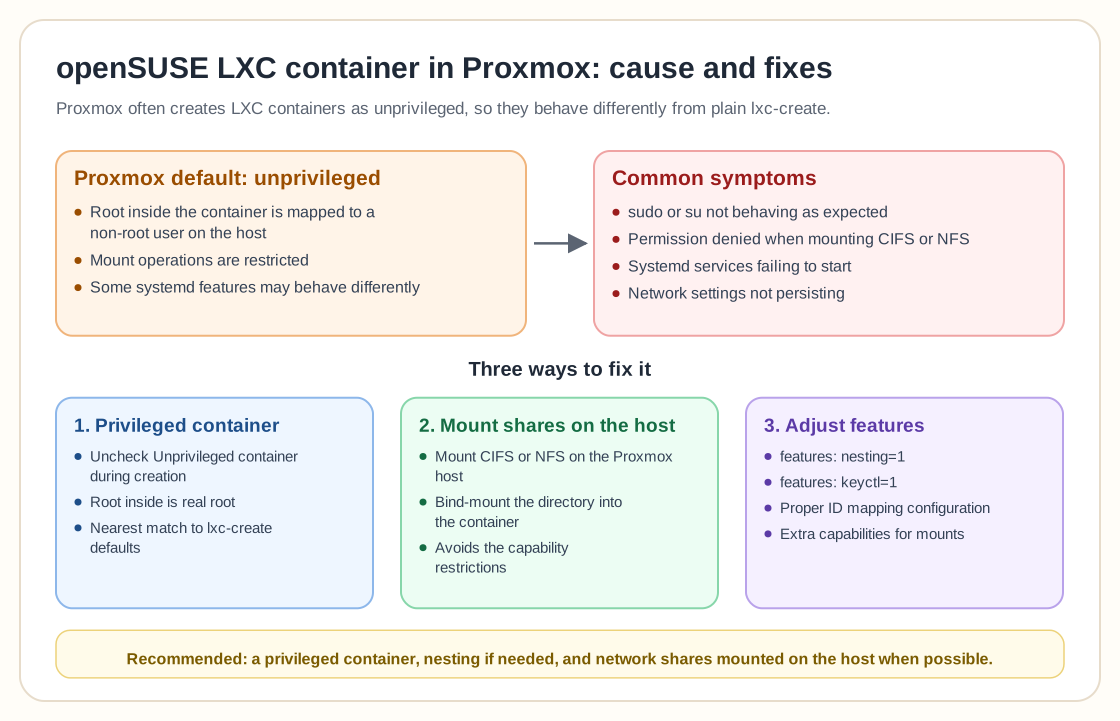
Why it works with lxc-create but not in Proxmox
Proxmox often creates LXC containers as unprivileged by default, which changes how UID/GID mappings, capabilities, and mount permissions behave compared with a traditional LXC setup on OpenSUSE.
- Root inside the container is mapped to a non-root user on the host
- Mount operations are restricted
- Some systemd features may behave differently
- CIFS/NFS mounts may fail without extra configuration
Common symptoms
- sudo or su not behaving as expected
- Permission denied when mounting CIFS/NFS
- Systemd services failing to start
- Network settings not persisting
Solution 1: Use a privileged container
To get behavior similar to traditional LXC on OpenSUSE, create the container as privileged .
- Uncheck “Unprivileged container” during creation
- Root inside the container is real root
- Mount operations work more predictably
- Closer match to the standalone LXC workflow
This is the nearest equivalent to the lxc-create defaults.
Solution 2: Mount shares on the host instead
Rather than mounting CIFS/NFS inside the container:
- Mount the share on the Proxmox host
- Bind-mount the directory into the container
- This avoids the capability restrictions
- It also gives you more security and control
Most Proxmox users consider this the best practice.
Solution 3: Adjust container features
To keep the container unprivileged, you may need:
- features: nesting=1
- features: keyctl=1
- Proper ID mapping configuration
- Additional capabilities for mount operations
Recommended approach
To replicate standard OpenSUSE LXC behavior:
- Create a privileged container
- Enable nesting if needed
- Mount network shares on the host when possible
That gets you closest to an lxc-create environment and still works with Proxmox management.
Frequently asked questions
Why does sudo behave differently?
Root inside an unprivileged container is UID-mapped and is not actual root on the host.
Can I mount CIFS/NFS inside unprivileged containers?
It is possible, but it needs additional capabilities and careful configuration.
Is privileged mode unsafe?
It reduces isolation compared with unprivileged containers, although it is common in trusted homelab setups.
What is the cleanest solution?
Mount storage on the host and bind-mount it into the container whenever you can.
Need help with Proxmox?
Use the form below to get in touch about migrations, troubleshooting, and Proxmox design work.