Proxmox VM and LXC Storage Design for a Homelab
Proxmox VM and LXC storage design for a homelab: OS on its own NVMe, VM and LXC disks on LVM-Thin NVMe, and bulk data and backups on a RAID-Z HDD pool.
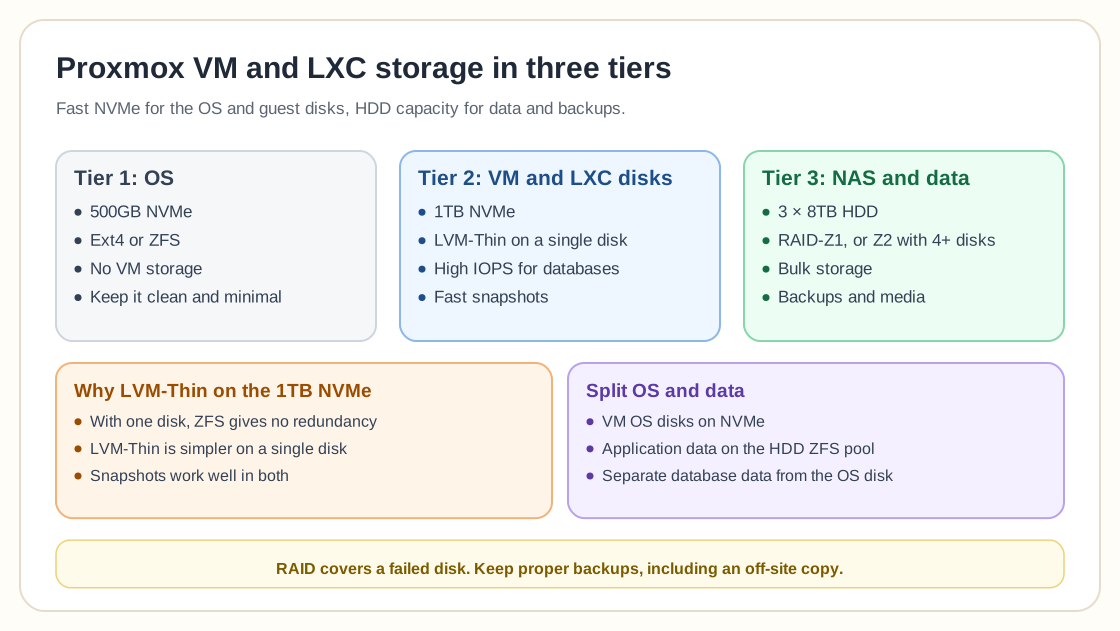
Proposed layout
- 500GB NVMe (OS, ext4)
- 3 × 8TB IronWolf Pro (RAID1 planned)
- 1TB NVMe for VM/LXC disks + snapshots
Workloads include Gitea, Jenkins, Nginx, Home Assistant, Technitium, a Docker host, MySQL/MSSQL, and room for future VMs.
Recommended storage tiers
Tier 1: OS
- 500GB NVMe
- Ext4 or ZFS
- No VM storage
- Keep it clean and minimal
Tier 2: VM/LXC
- 1TB NVMe
- LVM-Thin (single disk)
- High IOPS for databases
- Fast snapshots
Tier 3: NAS/Data
- 3×8TB HDD
- Prefer RAID-Z1 or Z2
- Bulk storage
- Backups + media
ZFS vs LVM-Thin on a single NVMe
With only one NVMe, ZFS provides no redundancy, so the community suggestion is LVM-Thin for simplicity on a single disk.
- On a single disk, LVM-Thin is easier
- ZFS works best with multiple disks
- Snapshots work well in both
- Databases benefit from NVMe latency
HDD pool recommendation
Instead of RAID1 with 3 disks, consider:
- RAID-Z1 (1 disk redundancy)
- RAID-Z2 if expanding to 4+ disks
- Keep spare drives ready
- Always maintain off-site backup
RAID-Z2 is recommended if your budget allows for additional disks.
Is 1TB enough for VM storage?
For typical homelab workloads:
- Linux VMs: 20 to 40GB each
- Docker hosts: 40 to 80GB
- Home Assistant: small footprint
- MS SQL (Express): up to 10GB DB limit
A 1TB NVMe is generally enough unless you store large media or run mostly Windows workloads.
Further optimization
- Store VM OS disks on NVMe
- Store application data on HDD ZFS
- Mount NFS dataset for persistent storage
- Separate database data from OS disk
- Back up VM configs separately
Keeping OS and data apart gives you more backup flexibility and helps the storage last longer.
Frequently asked questions
Is ZFS worth it on a single NVMe?
Not usually. LVM-Thin is simpler unless you need ZFS features.
Should I separate VM and NAS storage?
Yes. NVMe for performance and HDD for capacity is the ideal split.
Is RAID-Z2 overkill for home use?
It adds extra protection but requires at least four disks.
Do I still need backups if I use RAID?
Yes. RAID protects against disk failure, but it does not protect against data loss.
Need help with Proxmox?
Use the form below to get in touch about migrations, troubleshooting, and Proxmox design work.