Proxmox LXC vs VM for Docker, and How to Share a ZFS Pool
Proxmox LXC vs VM for Docker: when an unprivileged LXC is fine, when GPU or ZFS issues call for a VM, and how to share a ZFS pool via NFS or virtiofs.
Overview
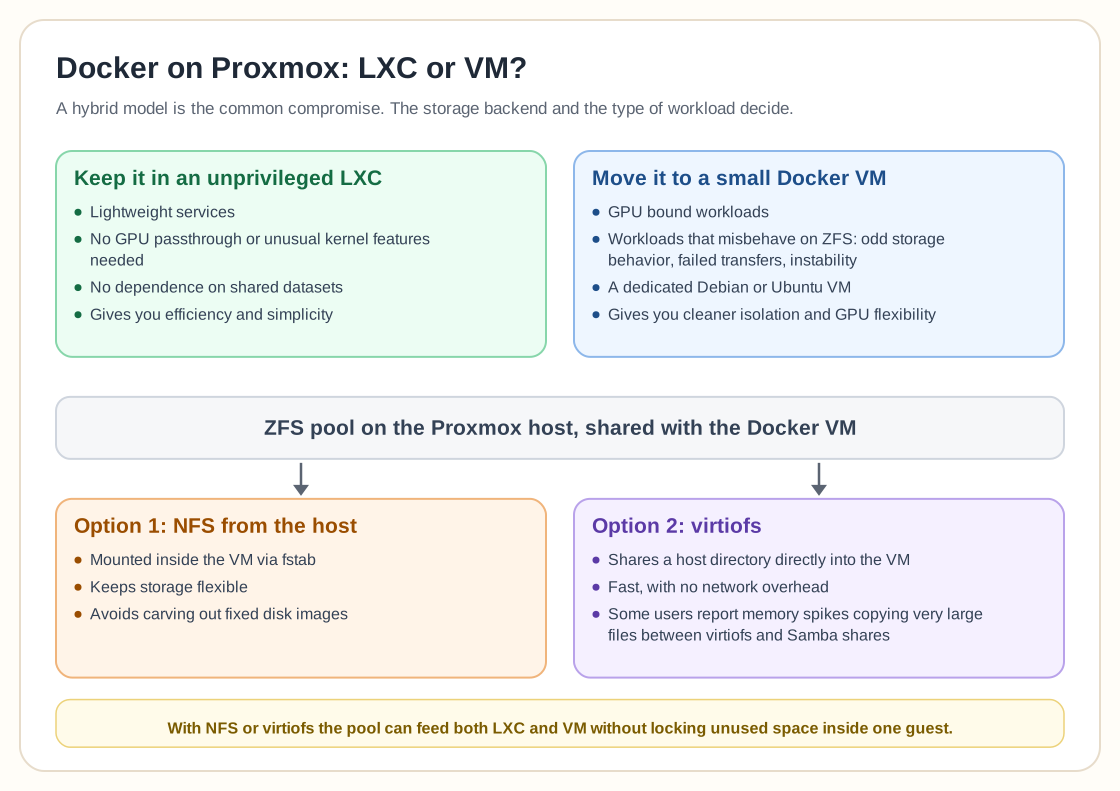
Proxmox LXC vs VM for Docker comes down to your workload and your storage. Running Docker inside an unprivileged LXC is not inherently wrong. Many people keep doing it successfully, especially when the container does not need GPU passthrough or unusual kernel features. The most upvoted view is practical: if it works for your workload, keep using it, and simply give the container the storage it needs when it does not depend on shared datasets.
Problems tend to show up with ZFS. Several users report odd storage behavior, failed transfers, or instability when Docker runs inside an LXC whose root disk or volumes sit on ZFS. Some suspect the cause has less to do with Docker itself than with how certain applications interact with ZFS and copy-on-write semantics. A common compromise is a hybrid model: keep lightweight services in LXC, and move GPU-bound or ZFS-troublesome workloads into a small Debian or Ubuntu VM dedicated to Docker.
If you go the VM route and want to share your ZFS pool dynamically, two solutions come up most:
1. NFS from the Proxmox host, mounted inside the VM via fstab. This keeps storage flexible and avoids carving out fixed disk images. 2. Virtiofs, which shares a host directory directly into the VM. It is fast and avoids network overhead, though some users report memory spikes when copying very large files between virtiofs and Samba shares.
So Docker in LXC is not "bad"; what matters is the storage backend and the type of workload. LXC gives you efficiency and simplicity, and a VM gives you cleaner isolation and GPU flexibility. With NFS or virtiofs, your ZFS pool can feed both without locking unused space inside a single guest.
Need help with Proxmox?
Use the form below to get in touch about migrations, troubleshooting, and Proxmox design work.