Jellyfin Idling at 11GB of RAM on Proxmox: Cache and Power Draw
Why a Jellyfin VM on Proxmox shows 11GB of RAM used at idle: Linux cache, the QEMU Guest Agent, ballooning, and what full RAM means for power draw.
Overview
Yes, a Jellyfin VM or container on Proxmox normally looks like it is using most or all of the RAM you gave it while nothing is playing, and no, that does not mean it is really "using" 11GB in any way you should worry about.
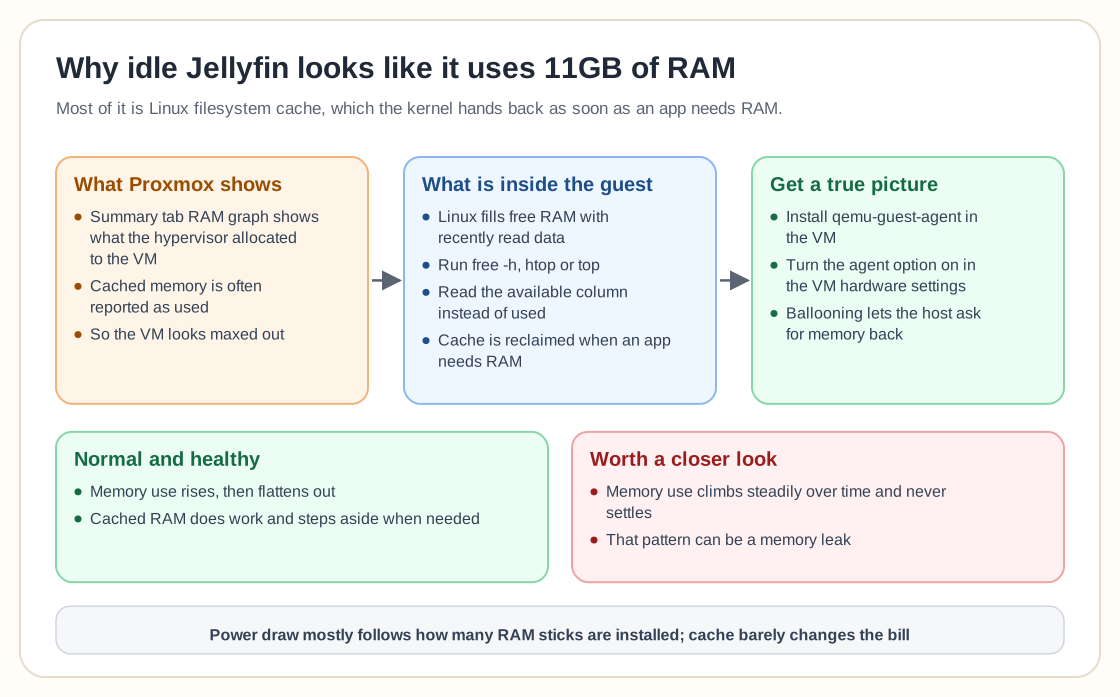
The thing to understand is cache. Linux uses free memory as filesystem cache wherever it can. Rather than leave RAM sitting empty, the kernel fills it with recently read data so the next read is faster. Proxmox often reports that cached memory as "used", which makes the VM look maxed out.
Log into the guest and run free, htop or top, and you will usually find that a big share of that memory is cache and counted as available. Cached memory is not locked down. As soon as an application really needs RAM, the kernel takes the cache back and hands the memory over.
The pattern that would worry me is memory use climbing steadily over time and never settling. That can be a memory leak. Usage that rises and then flattens out is doing what it is supposed to do.
On the electricity side, RAM does not draw much more power because it is "full". Power draw mostly follows how many sticks are installed, not whether those sticks are holding cache. Between idle and cached RAM, the difference on your monthly bill is too small to notice.
Proxmox adds a second layer of confusion. The RAM graph on the Summary tab shows what the hypervisor has allocated to the VM, which is not what the guest OS reports inside itself. For a real picture, install the QEMU Guest Agent in the VM (`apt install qemu-guest-agent` on Debian and Ubuntu based guests, then turn the agent option on in the VM's hardware settings in Proxmox). With the agent running, Proxmox can ask the guest directly and show a proper memory breakdown instead of the total allocation.
If you would rather reclaim memory as you go than hand over a fixed amount, look at memory ballooning, which Proxmox supports natively. Ballooning lets the hypervisor ask a guest for memory back when the host is under pressure and give it back when the guest needs it again. That helps when you run several VMs on a host with limited RAM and do not want 11GB reserved forever for a Jellyfin instance that mostly sits idle.
To see what is cache and what is genuinely in use inside the guest, run `free -h` and read the "available" column instead of "used". Available counts the cache that can be reclaimed, so it tells you how much RAM you could hand to something else right now.
High idle RAM use here is healthy. Free RAM does nothing for you, while cached RAM is doing work and steps aside the moment something more important asks for it.
Need help with Proxmox?
Use the form below to get in touch about migrations, troubleshooting, and Proxmox design work.