Proxmox cluster rebooted after a switch power cycle: how to pause HA
Why a Proxmox cluster rebooted when its only corosync switch lost power, how to pause HA with maintenance mode or ignored state, and how to add redundancy.
Overview
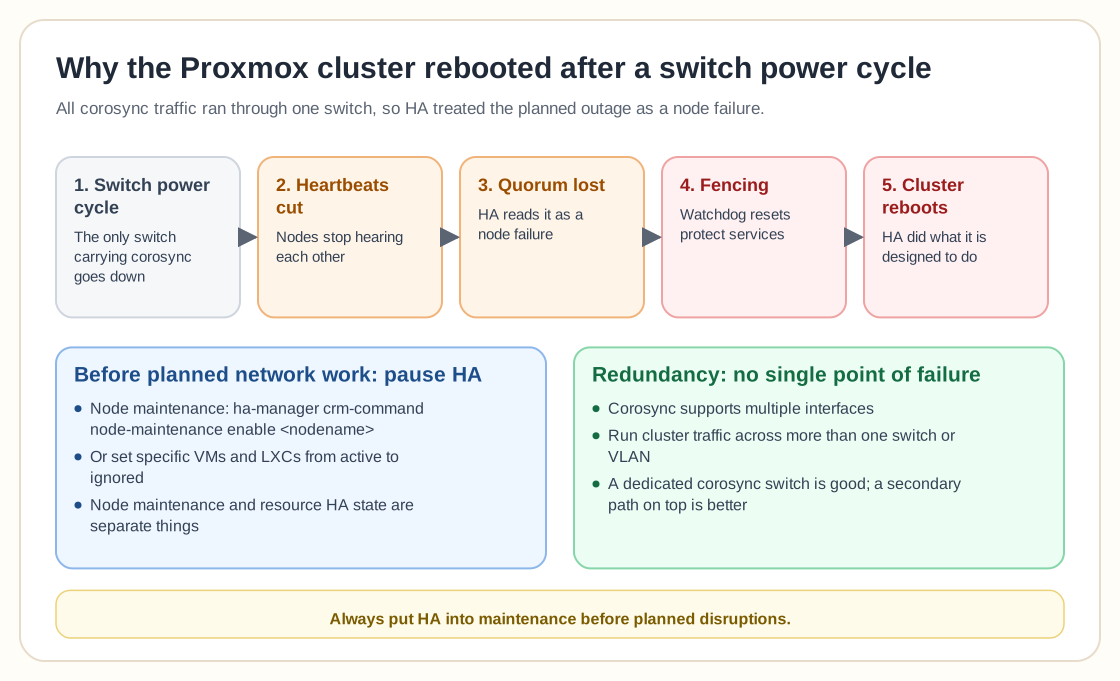
The Proxmox cluster rebooted because High Availability (HA) read the switch power cycle as a loss of quorum and a node failure. All corosync communication ran through a single switch, so powering that switch off cut the cluster heartbeats. HA then did exactly what it is designed to do and protected services by fencing and restarting resources, which reset the whole cluster.
The main lesson is to pause HA deliberately before planned network or infrastructure work. Rebooting network gear without preparing for it can trigger watchdog resets.
Two approaches came up most often:
1. Put the node into HA maintenance mode from the CLI:
sudo ha-manager crm-command node-maintenance enable
HA then won't react while you do the maintenance. 2. If you only want HA to leave specific VMs or LXCs alone, change their HA state from active to ignored. That avoids unintended migrations or fencing.
Several experienced users pointed out that node maintenance mode and HA resource state are separate things. Draining a node is different from switching off HA reactions entirely.
Beyond the procedure, the architectural fix is redundancy. Corosync supports multiple interfaces, and running cluster communication across more than one switch or VLAN keeps a single switch failure from breaking quorum. A dedicated corosync switch is good, and a secondary path on top of it is better.
In practice, always put HA into maintenance before planned disruptions, understand how node maintenance differs from resource HA states, and never run corosync over a single point of failure.
Need help with Proxmox?
Use the form below to get in touch about migrations, troubleshooting, and Proxmox design work.